

Assign leads to SDRs without pushing to your CRM first
Try Bitscale Now!
What Round Robin in Grids does
Round Robin lets you automatically assign rows in a grid across a list of owners. This is useful when you are using Bitscale as your SDR workspace to:- find leads
- enrich data
- pull emails and phone numbers
- qualify leads based on your ICP templates
- start outreach
Set up a Round Robin
- Open the grid you want to assign rows in.
- Go to Enrichment → Data Toolkit.
- Click Round Robin.
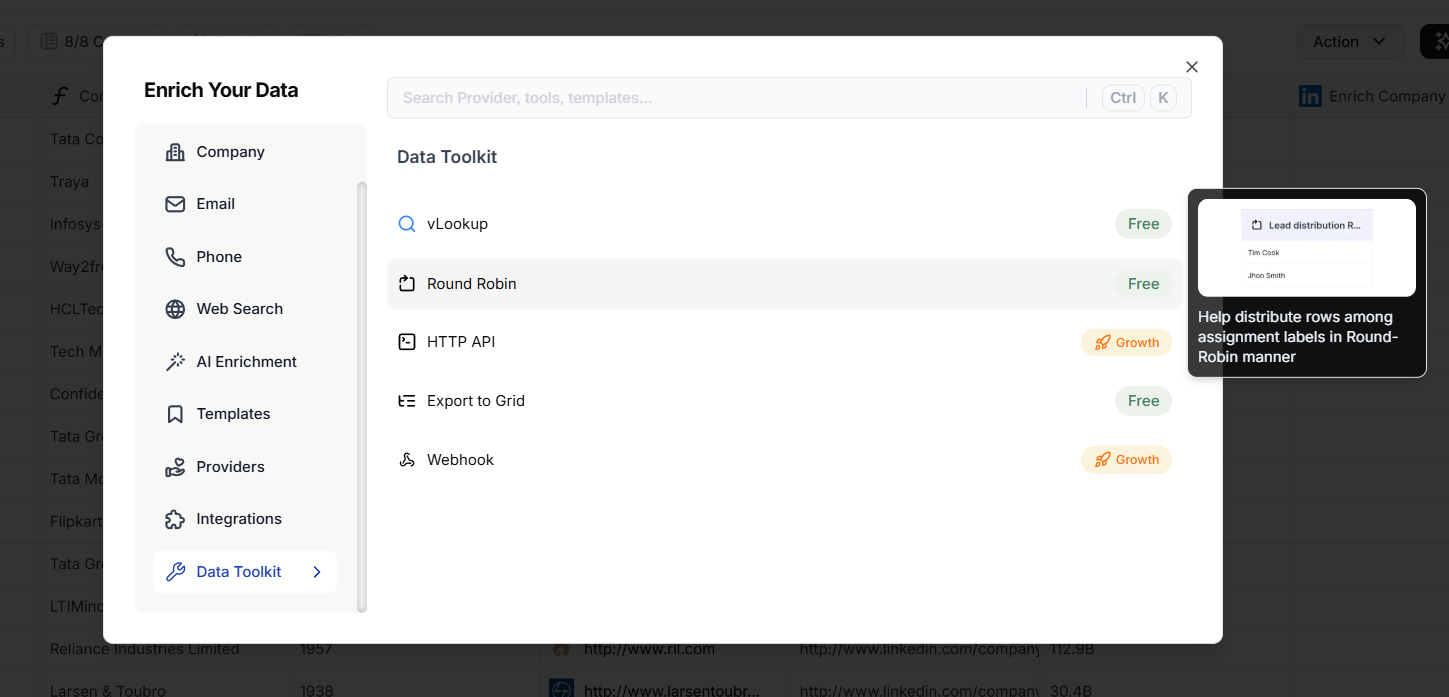
- Add your assignment values.
- Example: add SDR names like
SDR_A,SDR_B,AE_Enterprise
- Example: add SDR names like
- Click Save.
Optional: use CRM Owner IDs or Label IDs
If your CRM uses Owner IDs or Label IDs, you can assign using those values instead of names.- Copy the list of Owner IDs or Label IDs from your CRM.
- Paste them into the Round Robin list.
- Save.
Run the Round Robin for your grid
After saving the list:- Run it for all rows.
- Bitscale assigns one of the available values to each row using a round robin pattern.
Distribute ownership before pushing to CRM using Round Robin
Try it in your workspace
Common use cases
1) SDR lead distribution inside Bitscale
Use Round Robin to assign qualified leads across your SDR team right inside the grid, before any CRM push.2) Push assigned rows to the right CRM owner
If you used CRM Owner IDs in the assignment list, you can push rows to your CRM and keep ownership consistent.3) Route updates to Slack by owner
You can build Slack logic where:- each owner has a dedicated channel
- messages get routed based on who the row was assigned to