

Bring live data into Bitscale and trigger workflows automatically
Try Bitscale Now!
Use of Webhooks in a grid
Webhooks let you push data from:- other platforms (alerts, outbound tools, form submissions)
- your internal systems
- any workflow that can send an HTTP request
- enrich it
- run automations
- use Bitscale as a middle layer in a larger workflow
Create a grid with a webhook as the data source
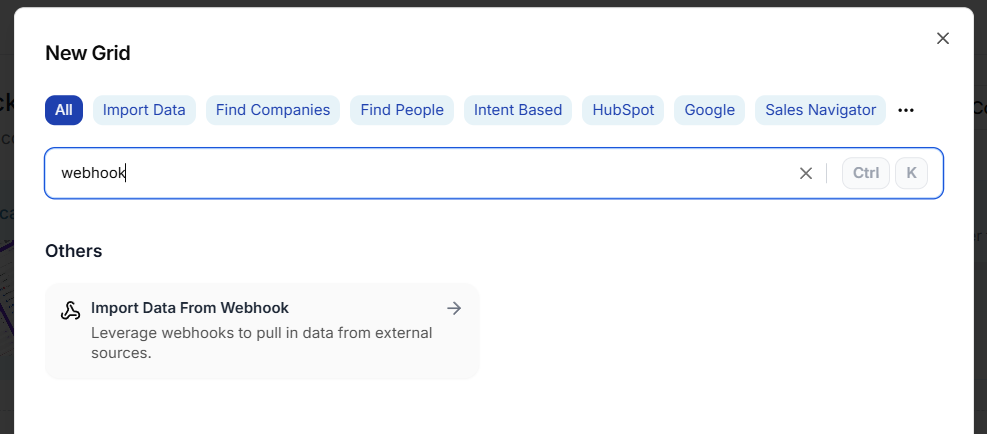
- Click New grid
- Select Import data from Webhook
- Click Create new grid
Find your webhook URL and cURL request
- Open the grid you just created
- Click Load data
- Select the Webhook source you created
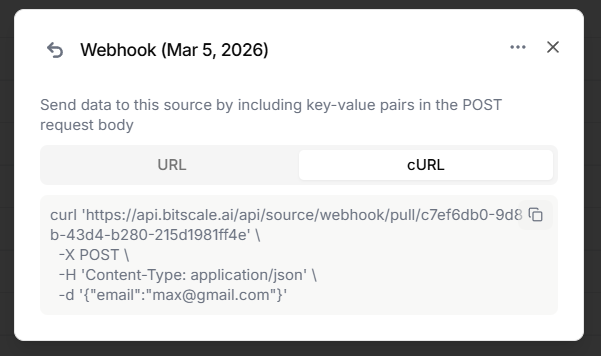
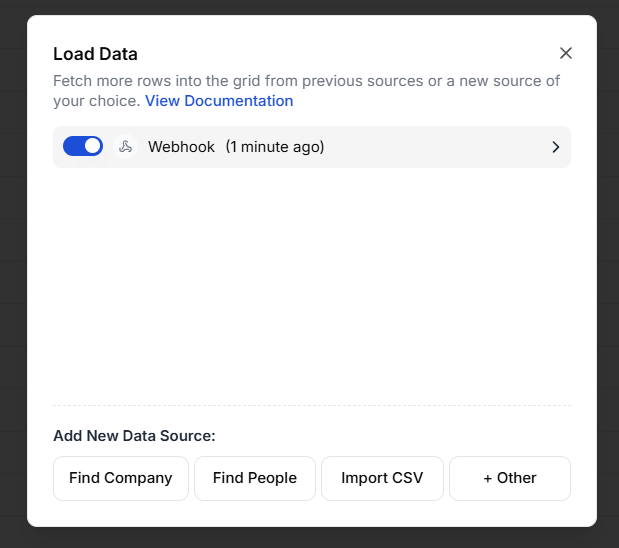 You will see:
- the webhook URL
- a ready-to-use cURL command
Push data from another platform
If you are using tools like outbound platforms or alert systems:- Copy the webhook URL from Bitscale
- Paste it into the other platform’s webhook field
- Send test data
Push data from your internal system
If you are pushing from your own backend or scripts, use the cURL command as a reference.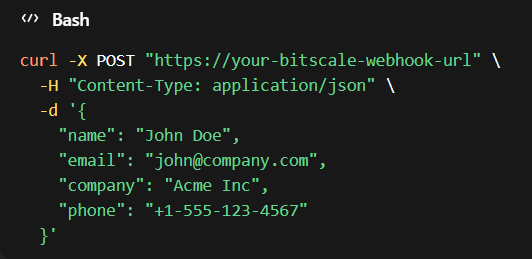 You mainly need to update the payload so it includes the fields you want to send as key-value pairs.
Example fields you might send:
You mainly need to update the payload so it includes the fields you want to send as key-value pairs.
Example fields you might send:
- first name
- company
- phone number
See the data inside Bitscale
After sending a payload:- Go back to your grid
- Reload the data source if needed
- Open the webhook source
emailname
- create an Email column
- create a Name column
Common use cases
Automated re-enrichment workflows
Send account or contact records into Bitscale on a schedule or trigger, then run enrichment steps automatically.Bitscale as a workflow middle layer
Push events from another system into Bitscale, enrich them, then route the output to other tools.Try importing data using Webhooks now
Try Bitscale Now!