> ## Documentation Index
> Fetch the complete documentation index at: https://docs.bitscale.ai/llms.txt
> Use this file to discover all available pages before exploring further.
# Outbound using Instantly AI
> This guide shows you how to generate targeted lead lists, integrate Instantly seamlessly, and launch highly efficient outreach campaigns directly from Bitscale.
***
## Grid Walkthrough
***
## **Use Cases**
1. **Automated Lead Generation**
Gather qualified leads with verified contact info effortlessly using Bitscale’s streamlined workflows.
2. **Seamless Email Outreach**
Connect Instantly with Bitscale to simplify lead exports and automate campaigns—so you can focus on personalization and strategy.
3. **Smooth Data Transfer**
With an easy-to-set-up API key, transferring lead data to Instantly becomes a quick, error-free process.
***
## **Breaking It Down into Simple Steps**
**This workflow is broken into 3 steps to help you generate leads and manage outreach seamlessly:**
1. **Find and Source Leads**
2. **Integrate Instantly via API**
3. **Export Leads to Instantly**
Let’s dive into each step:
***
### **Step 1: Source Leads Using the "Find People" Tool**
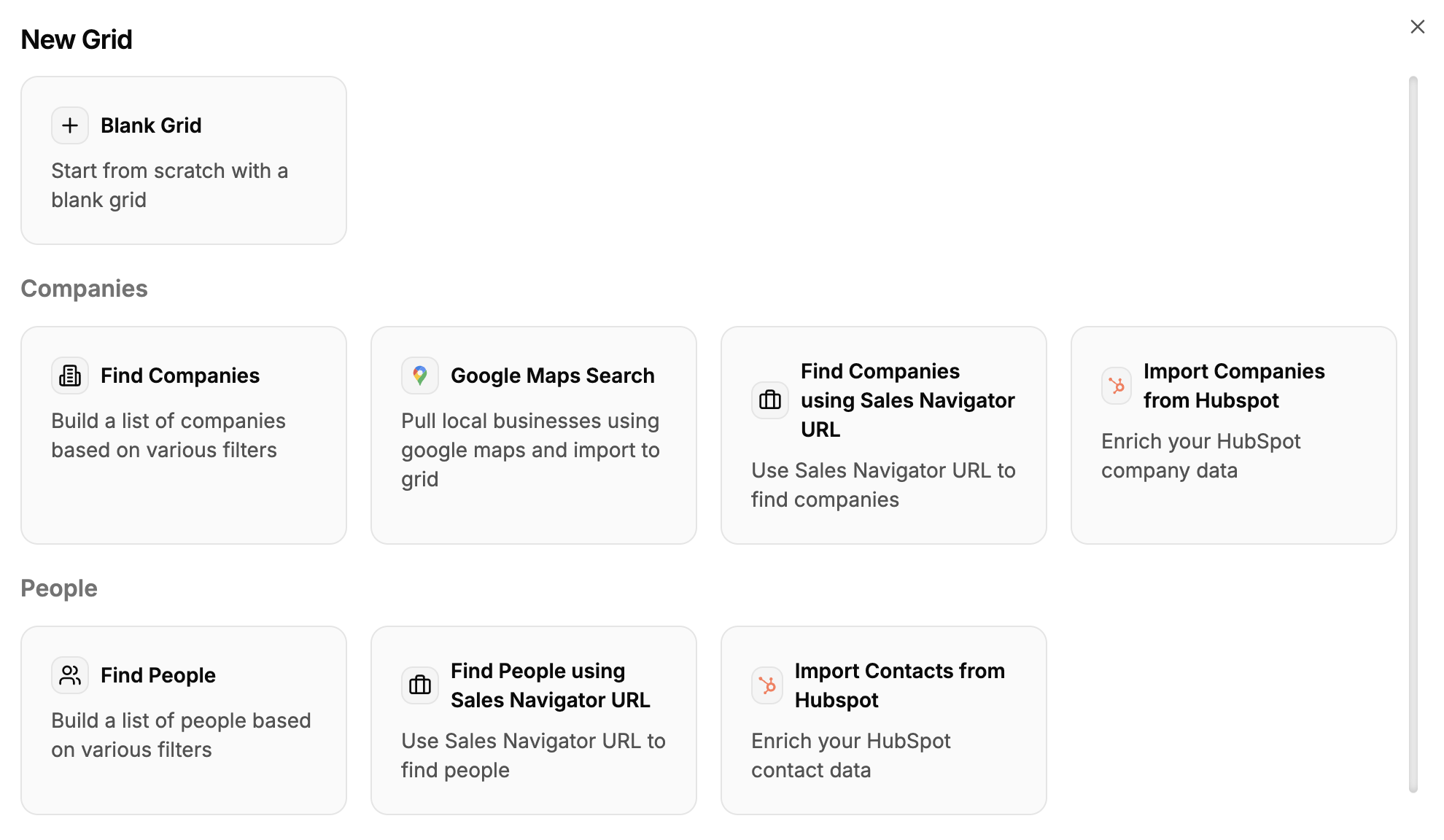 To kick things off, you need high-quality leads. Bitscale’s **"Find People"** tool helps you:
* Search for leads based on criteria like **job title, company size, or industry.**
* Preview and refine results before exporting data.
**What you get:**
* A targeted list of prospects ready for enrichment and outreach.
**How it works:**
[Follow the detailed ingredient to start sourcing leads instantly.](https://docs.bitscale.ai/ingredients/find-people)
***
### **Step 2: Integrate Instantly Using Your API Key**
To kick things off, you need high-quality leads. Bitscale’s **"Find People"** tool helps you:
* Search for leads based on criteria like **job title, company size, or industry.**
* Preview and refine results before exporting data.
**What you get:**
* A targeted list of prospects ready for enrichment and outreach.
**How it works:**
[Follow the detailed ingredient to start sourcing leads instantly.](https://docs.bitscale.ai/ingredients/find-people)
***
### **Step 2: Integrate Instantly Using Your API Key**
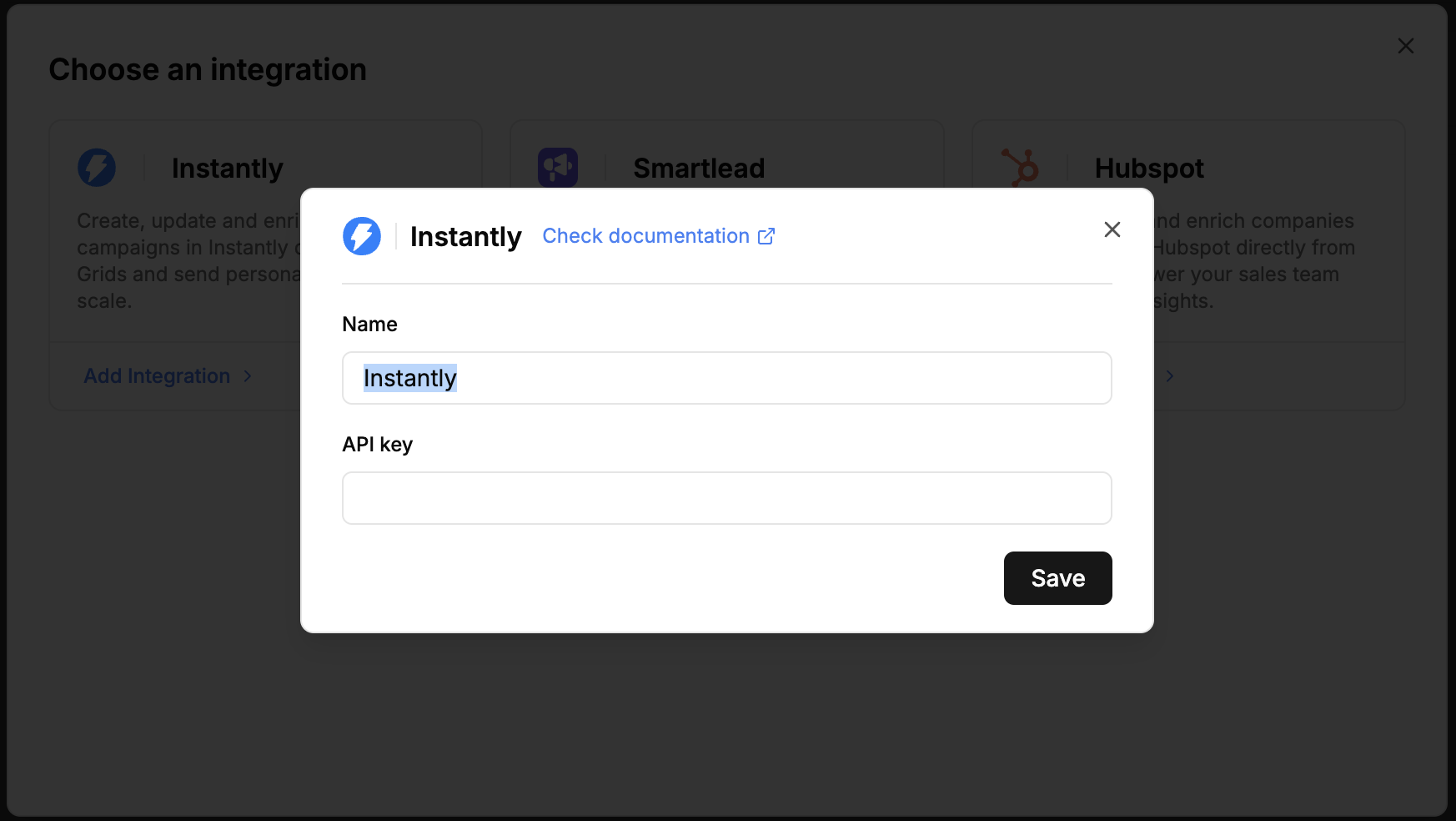 Next, set up the connection between Bitscale and Instantly for smooth data transfers. This step covers:
* Locating and copying your **API key** from Instantly.
* Adding it to Bitscale to establish a secure integration.
**Why this matters:**
* Automation saves time and eliminates manual errors.
* Your leads flow seamlessly into Instantly for campaign readiness.
**How it works:**
[This Ingredient walks you through the entire process step-by-step.](https://docs.bitscale.ai/ingredients/instantly-integrate)
***
### **Step 3: Export Your Leads to Instantly**
Next, set up the connection between Bitscale and Instantly for smooth data transfers. This step covers:
* Locating and copying your **API key** from Instantly.
* Adding it to Bitscale to establish a secure integration.
**Why this matters:**
* Automation saves time and eliminates manual errors.
* Your leads flow seamlessly into Instantly for campaign readiness.
**How it works:**
[This Ingredient walks you through the entire process step-by-step.](https://docs.bitscale.ai/ingredients/instantly-integrate)
***
### **Step 3: Export Your Leads to Instantly**
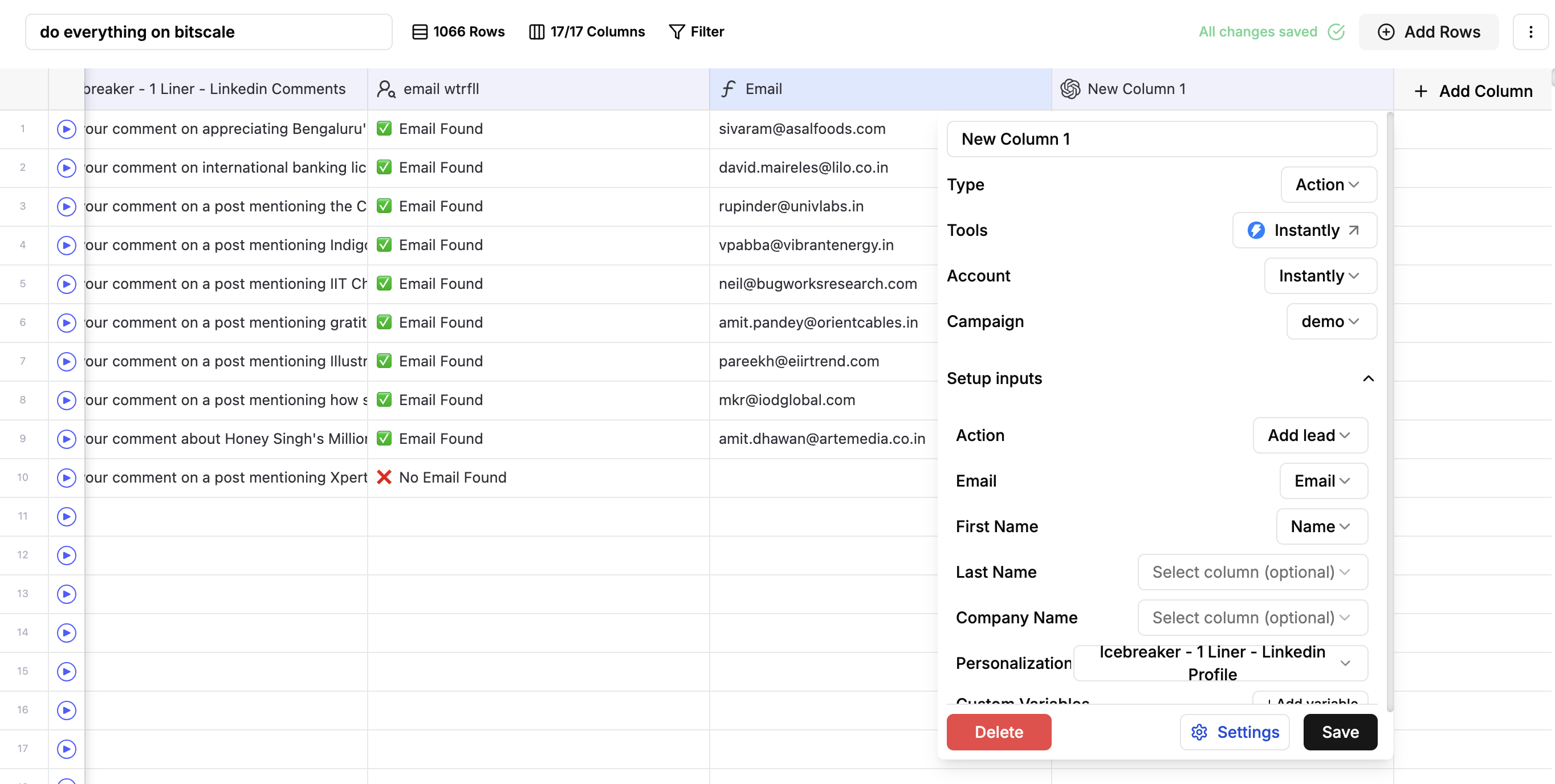 Once your leads are sourced and enriched, the final step is exporting them to Instantly:
* Select the leads you’ve gathered.
* Send them directly to Instantly with just a few clicks.
**How it works:**
[This Ingredient walks you through the entire process step-by-step.](https://docs.bitscale.ai/ingredients/instantly-export)
**What’s next:**
Your leads are now available in Instantly—ready to launch targeted outreach campaigns.
**Pro Tip:**
To ensure smooth transfers every time, keep your API key and lead lists well-organized.
***
## **Try It Out**
Start automating your outreach now with this [playbook](https://app.bitscale.ai/grids/share?id=e653350c-f941-4b78-8ce0-406b8ab6ecda\&rowId=0).
***
### **Next Steps**
If you’d like to dive deeper into any of these steps or explore related features, check out the detailed playbooks. For specific tools or workflows, refer to the **"Ingredients"** section for further guidance.
Once your leads are sourced and enriched, the final step is exporting them to Instantly:
* Select the leads you’ve gathered.
* Send them directly to Instantly with just a few clicks.
**How it works:**
[This Ingredient walks you through the entire process step-by-step.](https://docs.bitscale.ai/ingredients/instantly-export)
**What’s next:**
Your leads are now available in Instantly—ready to launch targeted outreach campaigns.
**Pro Tip:**
To ensure smooth transfers every time, keep your API key and lead lists well-organized.
***
## **Try It Out**
Start automating your outreach now with this [playbook](https://app.bitscale.ai/grids/share?id=e653350c-f941-4b78-8ce0-406b8ab6ecda\&rowId=0).
***
### **Next Steps**
If you’d like to dive deeper into any of these steps or explore related features, check out the detailed playbooks. For specific tools or workflows, refer to the **"Ingredients"** section for further guidance.